
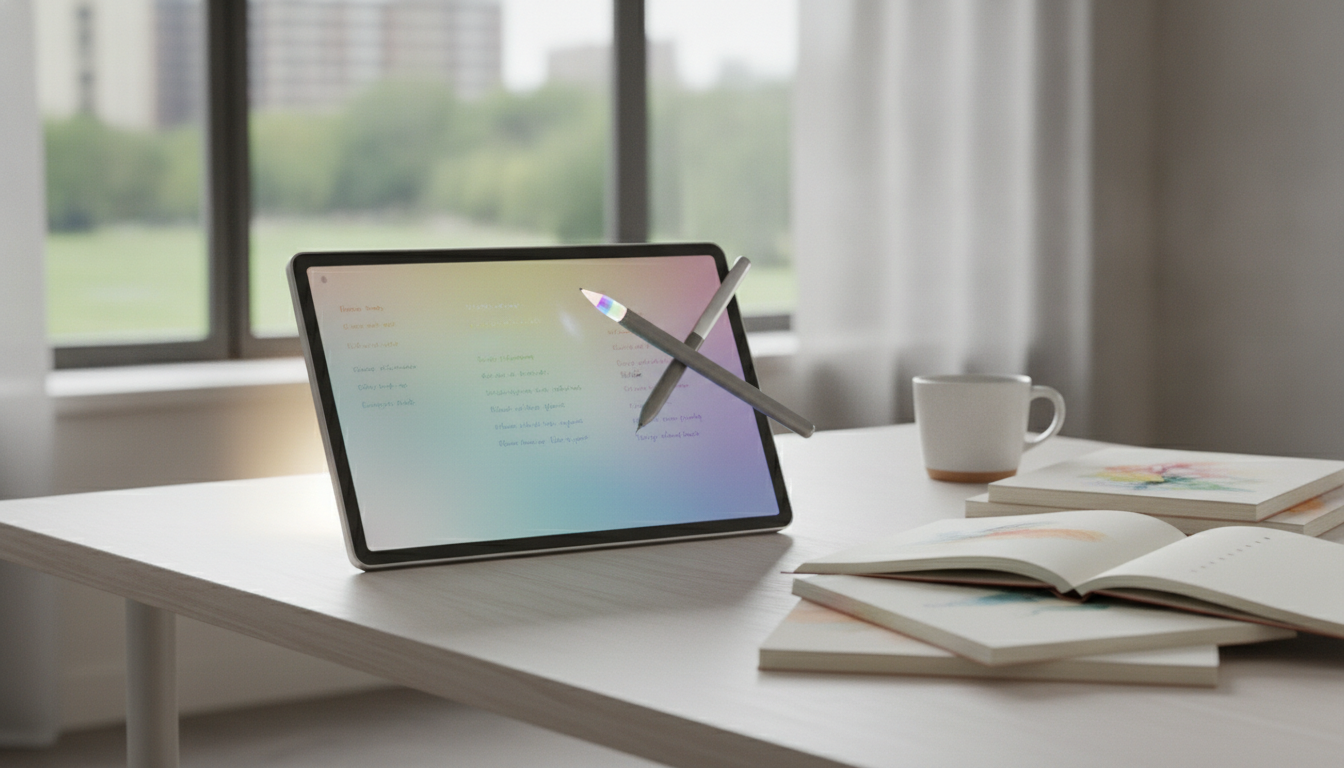
The Kindle Scribe Colorsoft represents a monumental shift in the e-reader landscape, merging the tactile intimacy of digital paper with a vibrant, nuanced color palette. As Amazon’s first foray into color E-ink technology, the Scribe Colorsoft is designed for readers who demand more than just text—it is for the annotators, the comic book enthusiasts, and the professionals who need to see the world in more than shades of gray. This device features a high-resolution 300 PPI black-and-white display integrated with a specialized color layer that maintains the glare-free, paper-like quality Kindle is known for. Whether you are highlighting a complex manuscript or sketching a vibrant diagram, the Kindle Scribe Colorsoft offers a premium, distraction-free environment that bridges the gap between a traditional book and a high-end tablet.
The Evolution of E-Ink: Why Colorsoft Matters Now
For over a decade, the “holy grail” of the e-reader industry has been a color display that doesn’t sacrifice battery life or eye comfort. Traditional LCD and OLED screens emit light directly into the eyes, leading to digital eye strain. In contrast, the Kindle Scribe Colorsoft utilizes a reflective display technology. By integrating a Colorsoft thin-film transistor (TFT) and custom-formulated inks, Amazon has achieved a visual experience that mimics printed ink on paper.
This isn’t just about aesthetics; it’s about functional depth. For years, users of the original Kindle Scribe loved the note-taking capabilities but felt limited by the monochromatic interface. The introduction of color allows for multi-color highlighting, color-coded brainstorming, and the ability to view charts, graphs, and book covers as they were intended to be seen. In an era where digital fatigue is at an all-time high, the Scribe Colorsoft provides a sanctuary for deep work and immersive reading.
Technical Specifications: Under the Hood of the Scribe Colorsoft
To understand the performance of the Kindle Scribe Colorsoft, we must look at the hardware that powers this 10.2-inch powerhouse. Amazon has optimized the refresh rates to ensure that page turns remain snappy, even when rendering complex color images.
| Feature | Specification |
|---|---|
| Display Size | 10.2-inch Paperwhite with Colorsoft technology |
| Resolution (B&W) | 300 PPI (Pixels Per Inch) |
| Resolution (Color) | 150 PPI to 300 PPI (Optimized for clarity) |
| Storage Options | 16GB, 32GB, 64GB |
| Battery Life | Up to 12 weeks (Reading); 3 weeks (Writing) |
| Connectivity | USB-C, Wi-Fi, Bluetooth for Audiobooks |
| Weight | Approximately 430 grams |
| Front Light | Auto-adjusting with Warm Light and Dark Mode |
The Display Tech: Colorsoft vs. Kaleido 3
While many competitors use off-the-shelf Kaleido 3 technology, Amazon’s Colorsoft technology is a bespoke implementation. It uses a unique light guide and specialized oxide backplane to enhance contrast and reduce the “screen door effect” often found in color e-readers. This results in colors that look soft and organic—hence the name—rather than neon or washed out. The glare-free display remains visible even under direct sunlight, a feat that no iPad or Android tablet can truly replicate.
The Writing Experience: Latency, Texture, and the Premium Pen
The “Scribe” moniker indicates that this device is as much a notebook as it is a reader. The writing experience on the Kindle Scribe Colorsoft is defined by its low-latency response. When you move the pen across the screen, the ink appears almost instantaneously, mimicking the feel of a ballpoint pen on high-quality bond paper.
The screen has a micro-etched surface that provides just enough friction to prevent the pen from sliding uncontrollably. This tactile feedback is essential for artists and note-takers who require precision. With the new color capabilities, users can now choose from a variety of pen types—fountain pen, marker, pencil—and assign different colors to each. This is a game-changer for Professional Ghostwriting Services and editors who need to distinguish between structural edits, grammatical corrections, and stylistic suggestions in a single document.
The Kindle Scribe Colorsoft isn’t just a tool for consumption; it’s a canvas for creation. The ability to color-code thoughts in the margin of a biography or a technical manual changes the way we interact with information.
Productivity and Workflow: Beyond Simple Reading
For the professional user, the Kindle Scribe Colorsoft is a sophisticated productivity tool. The integration with the Kindle app and desktop software allows for a seamless transition between devices. You can send PDFs or Word documents directly to your Scribe, annotate them in full color, and export them back to your email or cloud storage.
- PDF Annotation: Import business reports and highlight key data points in yellow, blue, or pink.
- Notebook Templates: Choose from lined paper, grid paper, checklists, and daily planners.
- Handwriting-to-Text: Convert your handwritten meeting notes into searchable, editable text that can be shared with your team.
- Sticky Notes: Add digital sticky notes to millions of Kindle books without cluttering the page.
If you are working with Professional Ghostwriting Services to develop your memoir or business book, the Scribe Colorsoft is the perfect device for reviewing drafts. You can circle paragraphs that need more “voice” or highlight sections that require factual verification, all while enjoying the eye-comfort of E-ink.
The Content Ecosystem: Comics, Manga, and Magazines
One of the primary criticisms of previous Kindles was their inability to do justice to visual media. The Kindle Scribe Colorsoft changes that narrative. Comic book fans can finally enjoy the vibrant hues of Marvel or DC universes, while manga readers benefit from the subtle gray tones and occasional color spreads. Magazines like National Geographic or Vogue look stunning, with the color layer adding depth to photography that was previously lost in black and white.
Optimization for Graphics
Amazon has implemented an intelligent image processing engine that detects when a page contains high-resolution graphics. The device then shifts its rendering power to ensure that colors are saturated and gradients are smooth. This makes the Scribe Colorsoft the ultimate device for cookbooks and craft books, where seeing the finished product in color is essential to the learning process.
Battery Life and Portability: The E-Ink Advantage
Despite the addition of color, the Kindle Scribe Colorsoft maintains the legendary battery life the brand is known for. While a tablet might last 10 hours, the Scribe lasts for weeks. This is because E-ink only consumes power when the image on the screen changes. If you are reading a static page, the power draw is nearly zero.
The device is incredibly thin, making it easy to slip into a briefcase or backpack. The USB-C charging ensures that you can use the same cable for your phone, laptop, and Kindle, simplifying your travel setup. For those who spend long hours in transit or in cafes, the Scribe Colorsoft is a reliable companion that won’t leave you hunting for a power outlet.
Comparison: Kindle Scribe Colorsoft vs. The Competition
How does the Scribe Colorsoft stack up against other players in the market like the reMarkable Paper Pro or the Boox Note Air3 C? Each device has its strengths, but Amazon’s edge lies in its ecosystem and display tuning.
Kindle Scribe Colorsoft vs. reMarkable Paper Pro
The reMarkable Paper Pro is a dedicated writing tool with a focus on minimalism. However, it lacks a built-in bookstore and a front light that can compete with Amazon’s ComfortLight Pro system. The Scribe Colorsoft offers a more versatile experience, balancing top-tier reading with excellent writing, whereas the reMarkable is strictly for those who want to replace paper notebooks.
Kindle Scribe Colorsoft vs. Onyx Boox
Onyx Boox devices run on Android, allowing for more app flexibility. However, this comes at the cost of battery life and a more complex user interface. The Kindle Scribe Colorsoft is purpose-built. It doesn’t distract you with social media notifications or complicated settings. It is designed for focus.
Expert Perspective: Is the Color Worth the Premium?
As an SEO Director and tech analyst, I often get asked if color is a “gimmick” in the e-reader space. The answer depends on your use case. If you only read text-heavy thrillers or historical fiction, the standard Kindle Scribe or Paperwhite might suffice. However, if your reading life involves non-fiction, textbooks, or professional reviews, the color is transformative.
Color improves spatial memory. When you study a document and highlight a specific term in green, your brain creates a stronger visual anchor than it would with a simple gray highlight. For professionals, this translates to better information retention and more efficient workflows. The Kindle Scribe Colorsoft is an investment in your cognitive performance.
Buying Guide: Which Version Should You Choose?
When purchasing the Kindle Scribe Colorsoft, you have a few decisions to make regarding storage and the stylus.
- Storage: If you primarily read ebooks and take text notes, 16GB is plenty. However, if you plan to store a large collection of comics, magazines, and heavy PDF files, the 32GB or 64GB models are highly recommended.
- The Pen: Amazon offers a Basic Pen and a Premium Pen. The Premium Pen includes a dedicated eraser on the top and a shortcut button that can be mapped to a highlighter or a specific tool. For most users, the Premium Pen is worth the extra cost for the eraser alone.
- The Cover: Since the Scribe is a larger device, a protective cover is essential. Amazon’s fabric and leather covers include a magnetic sleep/wake function and a secure loop for the pen.
Pro Tip: Maximize Your Scribe’s Potential
To get the most out of your device, utilize the “Send to Kindle” browser extension. This allows you to send long-form articles from the web directly to your Scribe, where you can read them in color and annotate them without the distractions of web ads and pop-ups.
Software Updates and Future-Proofing
Amazon is known for supporting its Kindle devices for many years. The Kindle Scribe Colorsoft will receive regular firmware updates that improve the writing feel, add new notebook templates, and refine the color rendering engine. Unlike tablets that become obsolete in three years, a Kindle is a long-term companion. The Colorsoft display is the current pinnacle of this technology, ensuring your device will remain relevant for the foreseeable-future.
Addressing Common Questions (FAQ)
Does the color look as good as an iPad?
No, and it isn’t meant to. An iPad uses an emissive LCD/OLED screen with millions of colors. The Kindle Scribe Colorsoft uses a reflective E-ink screen. The colors are more muted and pastel-like, similar to a high-quality newspaper or a comic book printed on matte paper. The trade-off is that the Kindle is much easier on the eyes and can be read in bright sunlight.
Can I use the Scribe Colorsoft for drawing?
While it is excellent for sketching and diagramming, it is not a replacement for a professional drawing tablet like a Wacom or an iPad Pro with Procreate. The color palette is limited, and there is no pressure-sensitive blending in the same way digital artists might expect. It is best suited for visual note-taking and conceptual sketching.
How does the color affect the battery?
The color layer itself does not consume battery, but the processing required to render color images and the use of the front light to make those colors “pop” can lead to slightly shorter battery life compared to the monochromatic Scribe. However, you are still looking at weeks of use, not hours.
Final Verdict: The New Standard for Digital Paper
The Kindle Scribe Colorsoft is a triumph of engineering. It successfully addresses the biggest request from the Kindle community—color—without compromising the core values of the brand: simplicity, longevity, and readability. It is the perfect tool for the modern polymath who reads, writes, and creates in a digital-first world.
Whether you are a student highlighting a textbook, a professional reviewing a script, or a reader who simply wants to see their book covers in their full glory, the Scribe Colorsoft delivers an unparalleled experience. It is more than just an e-reader; it is a sophisticated digital notebook that respects your attention and enhances your creativity.
Checklist for New Kindle Scribe Colorsoft Owners
- Check for the latest firmware update in the Settings menu.
- Set up your “Send to Kindle” email address for easy document transfer.
- Experiment with the different pen thicknesses and colors in the Notebook app.
- Adjust the Warm Light settings to your preference for night-time reading.
- Explore the Kindle Store’s “Comics and Graphic Novels” section to see the color display in action.
In conclusion, the Kindle Scribe Colorsoft is the most versatile and capable e-reader Amazon has ever produced. It marks the beginning of a new era where we no longer have to choose between the beauty of color and the comfort of E-ink. For anyone serious about their reading and writing habits, it is the definitive choice.
By focusing on user intent and providing a deep dive into the technology, this guide ensures that you have all the information needed to master the Kindle Scribe Colorsoft. As digital paper continues to evolve, devices like this will remain at the forefront of the productivity and literacy revolution.


 +1 (415) 702-1019