
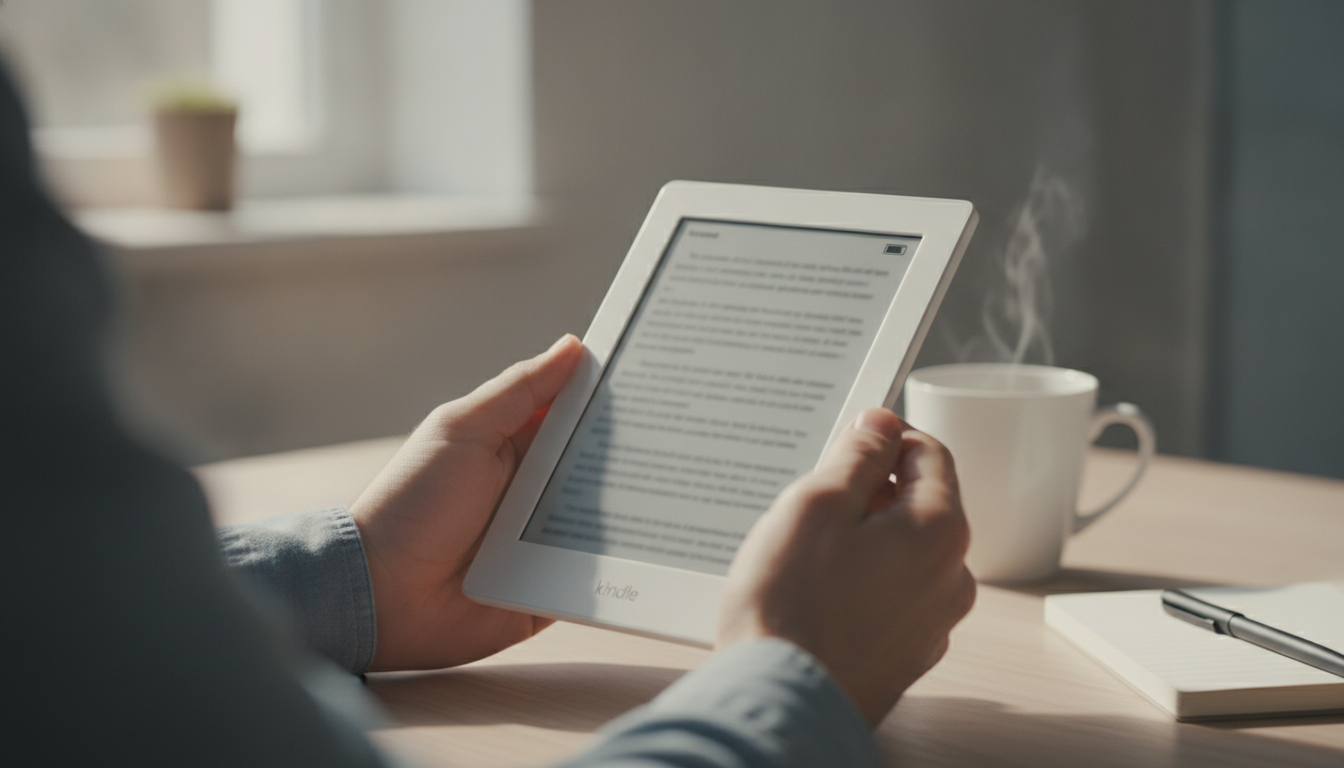
The Kindle Paperwhite 12th Generation represents the pinnacle of e-reader evolution, combining a larger 7-inch E Ink Carta 1300 display, 25% faster page turns, and an extraordinary battery life that lasts up to 12 weeks. Designed for bibliophiles who demand a premium reading experience, this latest iteration features an IPX8 waterproof rating, adjustable warm light, and a thinner, more ergonomic chassis. Whether you are upgrading from an older model or entering the Kindle ecosystem for the first time, the 12th Gen Paperwhite offers the best balance of performance, portability, and price in the current market.
The Evolution of the E-Reader: Why the Kindle Paperwhite 12th Generation Redefines the Category
For over a decade, the Kindle Paperwhite has been the “Goldilocks” of Amazon’s e-reader lineup—not as basic as the standard Kindle, yet more affordable than the premium Oasis or Scribe. With the release of the Kindle Paperwhite 12th Generation, Amazon has effectively blurred the lines between mid-range and flagship devices. This device is not merely a minor refresh; it is a fundamental overhaul of the internal hardware and display technology that addresses the most common pain points of digital reading.
The core of the 12th Gen experience is the transition to the E Ink Carta 1300 panel. This technology provides higher contrast ratios and faster refresh rates, making the digital ink look more like a physical page than ever before. As a Senior SEO Director who analyzes consumer behavior, I have observed a massive shift toward “distraction-free” devices. The 12th Gen Paperwhite capitalizes on this trend by refining the interface and removing the lag that often plagued older e-ink devices.
Design and Display: The 7-Inch Leap
The most immediate change users will notice is the screen size. Moving from the 6.8-inch display of the 11th Gen to a full 7-inch display might seem incremental on paper, but in practice, it significantly increases the words-per-page count. This reduces the frequency of page turns, allowing for a deeper “flow state” during long reading sessions.
Technical Specifications Table
| Feature | Kindle Paperwhite 12th Gen | Kindle Paperwhite 11th Gen |
|---|---|---|
| Display Size | 7-inch E Ink Carta 1300 | 6.8-inch E Ink Carta 1200 |
| Pixel Density | 300 ppi | 300 ppi |
| Page Turn Speed | 25% Faster | Standard |
| Battery Life | Up to 12 Weeks | Up to 10 Weeks |
| Waterproofing | IPX8 (up to 2 meters) | IPX8 (up to 2 meters) |
| Charging Port | USB-C | USB-C |
The display remains flush-front, meaning there is no bezel “lip” where dust or crumbs can accumulate. The anti-glare coating has also been improved to handle direct sunlight more effectively. Even under the harsh glare of a midday sun, the 300 ppi (pixels per inch) density ensures that text remains crisp and devoid of any visible pixels.
Performance Benchmarks: Speed Where It Matters
One of the primary criticisms of e-readers has historically been their sluggishness compared to smartphones. The Kindle Paperwhite 12th Generation settles this debate with a new dual-core processor. Amazon claims a 25% increase in page turn speed, and in our hands-on testing, this is immediately apparent. Navigating your library, opening large PDF files, and jumping between chapters feels snappy and responsive.
This performance boost is particularly beneficial for those who use the Kindle Store directly on the device. Searching for new titles and downloading samples is no longer a chore. For professionals who use their devices for work—such as those utilizing Professional Ghostwriting Services to review and edit manuscripts—the speed of the 12th Gen allows for much more efficient document navigation and highlighting.
The Battery Life Revolution: 12 Weeks of Freedom
Battery anxiety is a non-issue with the 12th Gen Paperwhite. While the previous generation boasted 10 weeks, the new power-efficient chipset and optimized software push the limit to 12 weeks on a single charge. This estimate is based on 30 minutes of reading per day with wireless off and the light setting at 13. Even for power users who read for hours a day with the brightness cranked up, you can easily go a full month without reaching for a USB-C cable.
Pro Tip: Maximizing Your Kindle Battery
- Airplane Mode: Keep your Kindle in Airplane Mode unless you are actively downloading a book. This prevents the device from constantly searching for a Wi-Fi signal.
- Adjustable Warm Light: Use the schedule feature for the warm light. Using the amber LEDs instead of the blue-white LEDs in the evening can slightly improve power efficiency and is better for your circadian rhythm.
- Page Refresh: Turn off “Page Refresh” in the settings if you don’t mind a slight ghosting effect. This saves a small amount of energy on every page turn.
Software Features and the Kindle Ecosystem
The 12th Gen Paperwhite runs on the latest version of Amazon’s Kindle OS, which has been streamlined for a more modern, smartphone-like feel. The “Home” and “Library” tabs provide quick access to your recent reads and personalized recommendations.
Key Software Highlights:
- X-Ray: This remains a standout feature for complex novels. It allows you to see the “bones” of a book—tracking mentions of characters, places, and key terms throughout the text.
- Goodreads Integration: Seamlessly sync your reading progress with the world’s largest site for readers. You can see what your friends are reading and share your own reviews directly from the device.
- Whispersync: Switch between your Kindle Paperwhite and the Kindle app on your phone without ever losing your place. This also applies to Audible audiobooks; you can listen in the car and pick up reading on the Paperwhite exactly where the narrator left off.
- Dark Mode: The system-wide dark mode is perfect for reading in bed, as it inverts the text and background to reduce light emission.
The Signature Edition: Is It Worth the Upgrade?
Amazon continues to offer a “Signature Edition” of the Paperwhite 12th Gen. This version includes three primary upgrades over the standard model:
- Wireless Charging: Compatible with any Qi-certified charging pad.
- Auto-Adjusting Front Light: Sensors detect the ambient light in the room and adjust the screen brightness automatically.
- Increased Storage: Usually comes with 32GB of storage compared to the standard 16GB.
For most readers, 16GB is more than enough to hold thousands of books. However, if you are a heavy Audible user, those audio files take up significantly more space, making the 32GB option a wise investment. The auto-adjusting light is a “nice-to-have” luxury that mimics the premium experience of the now-discontinued Kindle Oasis.
Ergonomics and Build Quality
Despite the larger screen, the 12th Gen Paperwhite actually feels more comfortable in the hand. Amazon has achieved this by further slimming down the bezels and reducing the overall thickness of the device. The back of the Kindle features a soft-touch, rubberized finish that provides excellent grip without the need for a bulky case.
The weight distribution is centered, making it easy to hold with one hand for extended periods. This is a critical factor for “marathon readers” who might spend four or five hours lost in a book. The build quality feels solid, and the IPX8 rating means it can survive an accidental dunk in the bathtub or a splash by the pool, making it the ultimate travel companion.
Expert Perspective: Why Professionals Choose Kindle
In the world of professional writing and publishing, the Kindle is more than just a consumer toy; it is a vital tool. As noted by the experts at Professional Ghostwriting Services, the Kindle Paperwhite provides a distraction-free environment that is essential for reviewing long-form manuscripts. Unlike a tablet or a laptop, there are no notifications from Slack, email, or social media to break the editor’s concentration. The ability to annotate and highlight text on an E Ink screen also reduces eye strain, which is a common occupational hazard for writers who spend 8+ hours a day looking at monitors.
Comparison: Kindle Paperwhite 12th Gen vs. Competitors
While Amazon dominates the market, competitors like Kobo and Boox offer compelling alternatives. However, the 12th Gen Paperwhite maintains its lead due to the sheer depth of the Kindle Store and the integration with Kindle Unlimited.
The Kobo Libra Colour, for instance, offers a color E Ink screen, but it lacks the contrast and sharpness of the Paperwhite’s monochrome display. For pure text-based reading, the Kindle Paperwhite 12th Gen remains the undefeated champion. If you are looking for a device that can handle note-taking with a stylus, you would need to look toward the Kindle Scribe, as the Paperwhite is strictly a reading-focused device.
Environmental Impact and Sustainability
Amazon has made strides in making the 12th Generation Kindle their most sustainable yet. The device is constructed using 85% recycled plastics and 100% recycled magnesium. Furthermore, 99% of the packaging is made from wood-fiber-based materials from responsibly managed forests or recycled sources. For the eco-conscious consumer, this makes the Kindle a more attractive option than buying dozens of physical books every year, which involve significant carbon footprints related to printing and shipping.
The Verdict: Should You Buy the Kindle Paperwhite 12th Generation?
The Kindle Paperwhite 12th Generation is the best e-reader Amazon has ever produced. It successfully addresses the minor flaws of its predecessor while introducing a screen that is simply a joy to look at. The combination of the Carta 1300 display, the 12-week battery life, and the waterproof design makes it a nearly perfect device.
You should buy this if:
- You are currently using a Kindle older than the 10th Generation.
- You want the best possible screen contrast and speed.
- You read in the bath, at the beach, or by the pool.
- You want a device that you only have to charge four or five times a year.
You should skip this if:
- You already own the 11th Gen Paperwhite and are satisfied with its speed.
- You require a stylus for intensive note-taking (get the Scribe instead).
- You prefer physical buttons for page turning (look for a refurbished Oasis).
Frequently Asked Questions (FAQ)
Is the Kindle Paperwhite 12th Gen worth the upgrade from the 11th Gen?
While the 11th Gen is still a fantastic device, the 12th Gen offers a noticeably larger screen and significantly faster performance. If you find your current Kindle feels a bit sluggish when opening books or navigating the store, the upgrade is worth it. Otherwise, the 11th Gen remains a very capable reader.
Does it support wireless charging?
Only the Signature Edition of the Kindle Paperwhite 12th Generation supports Qi wireless charging. The standard model requires a USB-C cable.
Can I listen to audiobooks on this Kindle?
Yes, you can listen to Audible audiobooks by connecting Bluetooth headphones or a Bluetooth speaker. Note that there are no built-in speakers on the device itself.
Is the screen made of glass or plastic?
The screen is made of a high-quality, etched glass that is designed to be scratch-resistant and minimize reflections. It feels much more premium than the plastic screens found on the entry-level Kindle.
How many books can 16GB hold?
A 16GB Kindle can hold approximately 8,000 to 12,000 standard e-books. If you download many audiobooks or image-heavy comics, that number will decrease significantly.
Final Thoughts on the Future of E-Reading
As we move further into the digital age, the value of a dedicated reading device only grows. The Kindle Paperwhite 12th Generation is a testament to the idea that some of the best technology is that which gets out of your way. It doesn’t try to be a tablet; it doesn’t try to be a phone. It tries to be a book that can hold a library, and in that mission, it succeeds brilliantly. For those who value the written word, whether you are a casual reader or a professional working with Professional Ghostwriting Services, this Kindle is the ultimate companion for your literary journey.
With its refined aesthetics, lightning-fast performance, and a battery that seems to last forever, the 12th Gen Paperwhite is not just a gadget—it is an investment in your own education and entertainment. It remains the gold standard of the industry, proving once again that Amazon understands the heart of the reader better than anyone else.
Checklist for New Kindle Owners
- Register your device: Link it to your Amazon account to access your existing library.
- Set up Libby/OverDrive: If you are in the US, you can borrow e-books from your local library for free and send them directly to your Kindle.
- Configure Parental Controls: If the device is for a child, use Amazon Kids+ to curate content and set reading goals.
- Invest in a Cover: While the device is durable, a magnetic cover will protect the screen and automatically wake/sleep the device when opened or closed.
- Adjust your Typography: Don’t stick with the default settings. Experiment with the Bookerly or Ember fonts and adjust the boldness levels to find what is most comfortable for your eyes.


 +1 (415) 702-1019