
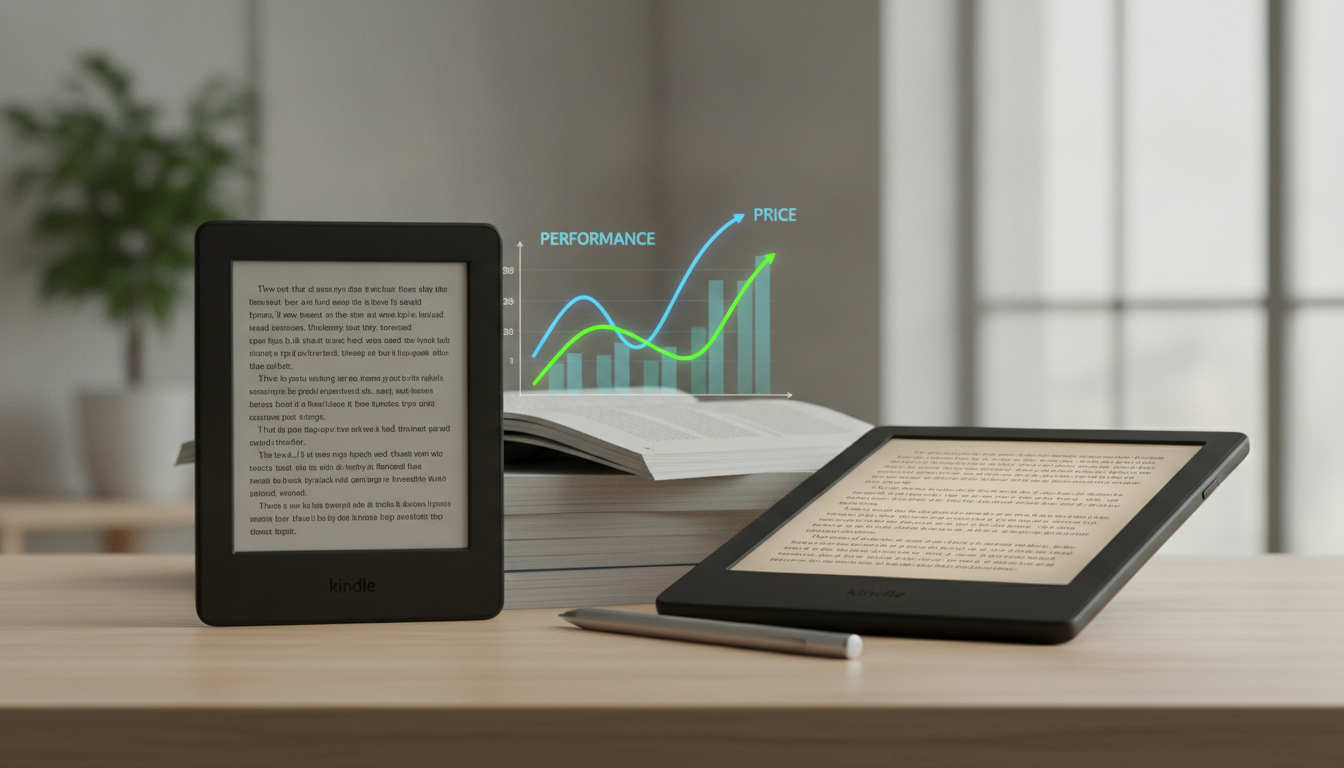
Choosing between the Amazon Kindle (Basic) and the Kindle Paperwhite is no longer as simple as picking the cheaper option versus the premium one. With the latest hardware refreshes, the gap between these two e-readers has narrowed significantly, yet the subtle differences in display technology, battery longevity, and build quality can drastically alter your long-term reading experience. Whether you are a casual commuter or a bibliophile who spends hours lost in a digital narrative, understanding the nuances of E-ink Carta technology, pixel density (PPI), and ergonomic design is essential before making an investment.
The Fundamental Divide: Kindle vs. Kindle Paperwhite at a Glance
At their core, both devices serve the same primary purpose: providing a distraction-free reading environment that mimics the look of real paper. However, the Kindle Paperwhite is positioned as the “Goldilocks” of the lineup—balancing high-end features with a reasonable price point—while the Kindle (Basic) remains the champion of portability and value. The decision often hinges on where and how you read. If you find yourself reading near water or in low-light conditions before bed, the Paperwhite’s IPX8 waterproofing and adjustable warm light become indispensable features rather than mere luxuries.
For those who are aspiring authors or industry professionals, the quality of the reading experience is paramount. Many clients of Professional Ghostwriting Services utilize these devices to review manuscripts, highlighting the importance of text clarity and device responsiveness. When you are analyzing a 300-page draft, the difference between a 6-inch and a 6.8-inch screen becomes a matter of productivity, not just preference.
Technical Specifications Comparison Table
To provide a clear overview of how these two titans of the e-reader world stack up, let us look at the raw data. This comparison focuses on the most recent 11th Generation models currently dominating the market.
| Feature | Kindle (Basic) 2022 | Kindle Paperwhite (11th Gen) |
|---|---|---|
| Display Size | 6 inches | 6.8 inches |
| Resolution | 300 ppi | 300 ppi |
| Front Light | 4 LEDs | 17 LEDs |
| Adjustable Warm Light | No | Yes |
| Waterproofing | No | Yes (IPX8) |
| Battery Life | Up to 6 weeks | Up to 10 weeks |
| Charging Port | USB-C | USB-C |
| Storage | 16GB | 8GB / 16GB |
| Weight | 158g | 205g |
Display Excellence: PPI, Screen Size, and Visual Comfort
For years, the most significant reason to upgrade to a Paperwhite was the screen resolution. The Basic Kindle used to suffer from a lower pixel density, making text look slightly fuzzy. Today, both devices boast 300 PPI (pixels per inch), which is the industry standard for “laser-quality” text. This means that from a purely visual standpoint regarding sharpness, the devices are identical. However, the visual comfort and screen real estate tell a different story.
The 6.8-Inch Advantage
The Kindle Paperwhite features a 6.8-inch display, whereas the Basic Kindle sticks to the traditional 6-inch form factor. While 0.8 inches might sound negligible, it results in approximately 13% more screen area. This allows for more words per page, meaning fewer page turns and a more immersive reading flow. For readers who prefer larger font sizes due to visual impairments, the 6.8-inch screen is a significant upgrade, as it prevents the “one sentence per page” syndrome that can occur on smaller screens.
Adjustable Warm Light: A Night Reader’s Best Friend
The most distinctive display feature of the Paperwhite is the adjustable warm light. While both devices have front-lit displays (which, unlike tablets, shine light across the screen rather than into your eyes), only the Paperwhite allows you to shift the color temperature from a cool white to a warm amber. This is critical for circadian rhythm preservation. Reading with a cool blue-toned light at night can suppress melatonin production, whereas the warm light mimics the soothing glow of a bedside lamp or an old paperback, making it much easier to fall asleep after a late-night reading session.
Build Quality and Ergonomics: Portability vs. Durability
The physical design of these devices dictates their “pocketability.” The Kindle (Basic) is impressively small and light, weighing only 158 grams. It is the only Kindle that truly fits into a standard back pocket or a small purse without effort. Its chassis is made of recycled plastics with a slightly textured finish that provides a secure grip without a case.
Flush-Front Design
The Kindle Paperwhite features a flush-front design, meaning the screen is level with the bezels. This creates a sleek, tablet-like appearance and prevents dust and lint from getting trapped in the corners of the screen. The Basic Kindle, conversely, has a recessed screen with a raised bezel. While some purists prefer the recessed screen because it reduces glare even further, the flush-front design of the Paperwhite feels more premium and is easier to wipe clean.
The Waterproofing Factor (IPX8)
If you enjoy reading by the pool, at the beach, or in the bathtub, the Paperwhite is the clear winner. It carries an IPX8 rating, meaning it can withstand immersion in up to two meters of fresh water for up to 60 minutes. The Basic Kindle has no official water resistance. A single accidental drop into a puddle or a spilled cup of coffee could be fatal for the Basic model, whereas the Paperwhite would simply need a quick rinse and a dry-off.
Performance, Speed, and Software Integration
Under the hood, both devices run on Amazon’s proprietary Linux-based operating system, which is optimized for low power consumption and E-ink refresh rates. In terms of page turn speed, the Paperwhite 11th Gen is marginally faster due to a more robust processor and the use of E-ink Carta 1200 technology, which offers a 20% faster response time compared to previous generations.
Storage and Content Management
The current Kindle Basic comes standard with 16GB of storage, which is enough to hold thousands of e-books or dozens of Audible audiobooks. The Paperwhite offers 8GB or 16GB variants (with a 32GB option available in the Signature Edition). For most readers, 8GB is more than enough for a lifetime of text-based books. However, if you are a heavy user of Audible and like to listen to your books via Bluetooth headphones, the 16GB model is recommended, as audio files consume significantly more space than MOBI or AZW3 files.
“The transition from physical books to a Kindle is often met with resistance until the reader experiences the convenience of carrying a library in their pocket. The Paperwhite, specifically, bridges the gap between technology and the tactile feel of reading better than any other device on the market.” — Expert Perspective from Professional Ghostwriting Services
Battery Life: The Marathon Runners of Tech
One of the primary reasons e-readers remain relevant in an age of high-powered tablets is battery life. Because E-ink displays only consume power when the “ink” particles move to form a new page, these devices last for weeks, not hours.
- Kindle (Basic): Offers up to 6 weeks of battery life based on 30 minutes of reading per day with wireless off and the light setting at 13.
- Kindle Paperwhite: Offers up to 10 weeks of battery life under the same conditions.
Both devices have finally moved to USB-C charging, a welcome change that means you can likely use the same cable for your phone, laptop, and Kindle. The Paperwhite’s larger chassis allows for a bigger battery, making it the superior choice for long-term travelers or those who simply hate the chore of charging their electronics.
The “Signature Edition” and “Kids” Variants
When shopping, you will notice other versions like the Kindle Paperwhite Signature Edition. This model adds wireless charging, an auto-adjusting light sensor (which changes brightness based on your environment), and 32GB of storage. For most, these are “nice-to-have” features but rarely “must-haves.”
There are also “Kids” versions of both the Basic and Paperwhite. These are identical to the standard hardware but come bundled with a kid-friendly cover, a one-year subscription to Amazon Kids+, and a two-year worry-free guarantee. If your child breaks it, Amazon replaces it—no questions asked. This makes the Kindle Kids (Basic) one of the best values in the entire Amazon ecosystem.
Price Analysis: Is the Upgrade Worth It?
Pricing fluctuates based on Amazon’s frequent sales (especially during Prime Day and Black Friday), but generally, the price gap is approximately $40 to $50.
- Kindle (Basic): Usually retails around $99.99.
- Kindle Paperwhite: Usually retails around $139.99 – $149.99.
When you break down the $50 difference over the lifespan of the device (which is typically 5 to 7 years), you are paying less than $10 per year for the waterproofing, the larger screen, and the warm light. For daily readers, the Paperwhite offers a significantly higher price-to-performance ratio. However, for students or budget-conscious readers who only read occasionally, the Basic Kindle is an unbeatable entry point.
Deep Dive: The Software Ecosystem and Kindle Unlimited
Regardless of which hardware you choose, the software experience remains identical. Amazon’s Kindle Store is the most comprehensive e-book marketplace in the world. Features like X-Ray (which allows you to see the backstory of characters and terms), Goodreads integration, and Whispersync (which keeps your place across the Kindle app on your phone and your e-reader) are standard.
For those who consume books at a high rate, Kindle Unlimited is a subscription service that provides access to millions of titles. While many “Big Five” publishers do not participate, it is a goldmine for indie authors and specialized genres. This ecosystem is why many choose Kindle over competitors like Kobo or Nook—the sheer ease of finding and downloading content is unparalleled.
Which Kindle Should You Buy? A Decision Guide
To finalize your decision, let’s categorize the choice based on user personas:
The Commuter and Minimalist
If you read primarily on the bus, subway, or in waiting rooms, the Kindle (Basic) is your best bet. Its lightweight nature means you won’t feel it in your bag, and its smaller size makes it easier to hold with one hand while standing on a moving train.
The Bedtime Reader and Traveler
If your reading happens mostly at night or on long flights, the Kindle Paperwhite is the essential choice. The warm light will save your eyes from strain, and the extra battery life ensures you won’t be hunting for a power outlet in an airport terminal.
The Outdoor Enthusiast
If you take your books to the beach, the lake, or the bathtub, do not even consider the Basic model. The waterproofing of the Paperwhite is a mandatory insurance policy against the elements.
Pro Tips for New Kindle Owners
- Turn on Airplane Mode: Unless you are downloading a new book, keep Airplane Mode on. This can extend your battery life by several days or even weeks.
- Use “Send to Kindle”: You can send PDFs, Word documents, and EPUB files to your device via email or the Amazon website. This is a great way for authors working with Professional Ghostwriting Services to review their drafts in an e-book format.
- Dark Mode: Both devices support Dark Mode (white text on a black background). This is excellent for reading in total darkness without disturbing a partner.
- Screen Protectors: Unlike smartphones, Kindle screens are matte and designed to reduce glare. Adding a glossy screen protector can ruin the reading experience. Generally, a simple “sleep/wake” cover is all the protection you need.
The Future of E-ink: What’s Next?
As we look toward the future, we see color E-ink (Gallery 3 or Kaleido technology) beginning to enter the market. While Amazon has yet to release a color Kindle, the demand for graphic novels and textbooks in color is rising. However, for the standard black-and-white reading of novels, the current Kindle Paperwhite and Basic models represent the pinnacle of E-ink maturity. The contrast is sharp, the refresh rates are acceptable, and the devices are more affordable than ever.
Common Questions About Kindle Differences
Is the Paperwhite screen actually made of glass?
The Paperwhite uses a plastic-based E-ink display with a glass-like cover finish to allow for the flush-front design. It is more durable than a tablet screen but can still scratch if kept in a bag with keys.
Can I listen to audiobooks on both?
Yes, both the Kindle (Basic) and Paperwhite support Audible via Bluetooth. Neither device has built-in speakers or a headphone jack, so you will need Bluetooth-enabled headphones or a speaker.
Does the Paperwhite have more ads?
Both devices come in “Ad-Supported” (Lockscreen Ads) and “Without Ads” versions. You can pay a small one-time fee (usually $20) to remove ads from either device at any time through your Amazon account settings.
Which is better for manga?
The Kindle Paperwhite is significantly better for manga due to the larger 6.8-inch screen. Manga panels can be difficult to read on the 6-inch Basic screen, often requiring constant zooming.
Conclusion: The Verdict on Kindle vs. Paperwhite
The Kindle (Basic) is a phenomenal achievement in value, offering a high-resolution 300 PPI screen in a tiny, portable package. It is the perfect “first e-reader.” However, the Kindle Paperwhite remains the best e-reader for most people. The combination of a larger 6.8-inch display, adjustable warm light, IPX8 waterproofing, and superior battery life justifies the higher price tag.
When you invest in a Kindle, you aren’t just buying a gadget; you are buying a gateway to thousands of stories. For those who take their reading—and their writing—seriously, the hardware should disappear, leaving only the words. Whether you are reading a masterpiece produced by Professional Ghostwriting Services or a classic from the public domain, the Paperwhite provides the most transparent and comfortable window into those worlds. If your budget allows for the extra $40-$50, the Paperwhite is the version you will likely be happier with three years down the road.


 +1 (415) 702-1019