
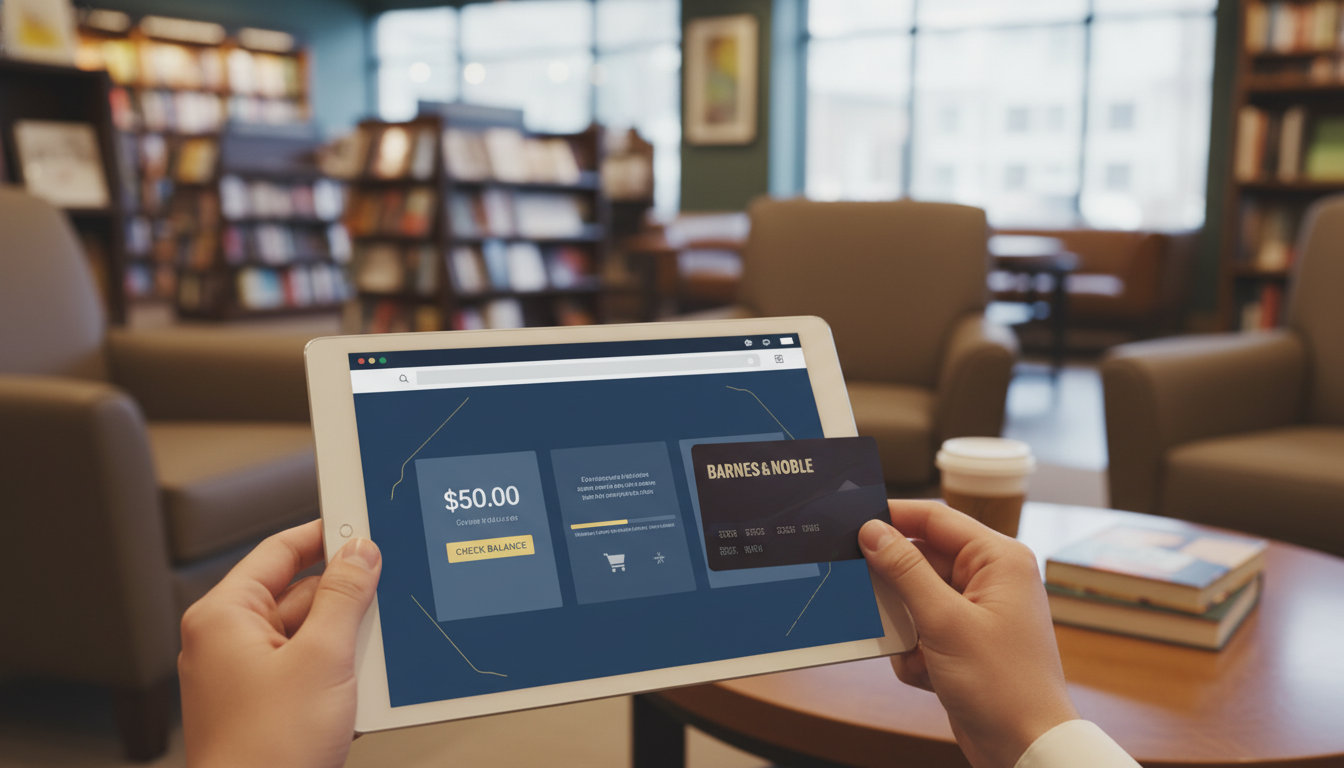
To check your Barnes & Noble gift card balance online, navigate to the official Barnes & Noble Gift Cards page, click on “Check Balance,” enter your 15-to-19-digit gift card number, and input the 4-digit PIN found on the back of the card.
Whether you have received a digital eGift card for your birthday or uncovered a physical gift card tucked inside a desk drawer, knowing your exact available funds is the first step toward your next great read. The modern bookstore ecosystem has evolved, and Barnes & Noble offers an expansive inventory that goes far beyond traditional paperbacks. From exclusive NOOK digital titles and premium stationery to vinyl records, board games, and artisanal beverages at the B&N Cafe, your gift card acts as a versatile passport to a world of entertainment and culture. Navigating the balance inquiry process, understanding the redemption rules, and troubleshooting potential PIN errors requires a clear, step-by-step approach. In this comprehensive guide, we will explore the precise mechanics of managing your BN gift card balance, ensuring you can seamlessly transition from balance verification to checkout without any friction.
Three Foolproof Methods to Verify Your Barnes & Noble Gift Card Balance
Barnes & Noble provides customers with multiple, highly accessible avenues to verify their available funds. Depending on whether you are sitting at your computer, driving in your car, or browsing the aisles of your local bookstore, you can choose the method that best suits your immediate needs.
Method 1: The Instant Online Balance Inquiry
The most efficient way to check your funds is through the official Barnes & Noble website. This method is available 24/7 and provides an instantaneous readout of your remaining purchasing power.
- Navigate to the Official Site: Open your preferred web browser and go directly to BarnesandNoble.com. Scroll down to the website’s footer and look for the link labeled “Gift Cards.”
- Access the Balance Checker: On the main Gift Cards landing page, you will see a distinct button or text link that says “Check Your Balance.” Clicking this will open a secure pop-up window or redirect you to a dedicated verification portal.
- Input Your Credentials: You will be prompted to enter two crucial pieces of information: the Gift Card Number (which typically ranges from 15 to 19 digits) and the 4-digit Personal Identification Number (PIN).
- Execute the Search: After verifying that you have typed the numbers correctly, click “Check Balance.” The screen will immediately refresh to display your current available funds down to the exact cent.
Method 2: Calling the Automated Customer Support Line
If you do not have immediate access to the internet, or if you are experiencing technical difficulties with the website, the automated telephone system is a highly reliable alternative. This system is specifically designed to handle high volumes of balance inquiries without requiring you to wait on hold for a human representative.
- Dial the Toll-Free Number: Locate the 1-800 number printed on the back of your physical card. For Barnes & Noble, the dedicated gift card balance and customer service number is typically 1-800-THE-BOOK (1-800-843-2665).
- Navigate the Phone Menu: Listen carefully to the automated voice prompts. You will usually be asked to press a specific number on your keypad (often “1” or “2”) to route your call to the gift card balance department.
- Enter Your Card Details via Keypad: When prompted, use your smartphone or landline keypad to type in the full gift card number, followed by the pound (#) sign. You will then be asked to input the 4-digit PIN.
- Listen to the Automated Readout: The system will process your data and verbally state your exact remaining balance. You will also be given the option to repeat the balance or check another card.
Method 3: In-Store Verification at the Checkout Counter
For those who prefer a tactile shopping experience and are already planning a visit to a brick-and-mortar location, verifying your balance in person is incredibly straightforward. This method is particularly useful if you are holding an older card and are unsure if the magnetic stripe still functions.
Simply approach any open cash register or customer service desk within the store. Hand your physical card to the bookseller, or present the barcode of your eGift card on your smartphone screen. The associate will scan the card or manually type the numbers into their Point of Sale (POS) system and provide you with a printed receipt or verbal confirmation of your exact balance. You are under no obligation to make a purchase at that moment to utilize this service.
Locating Your Gift Card Number and PIN
A common hurdle many shoppers face is simply locating the necessary credentials to perform a balance check. The placement of these numbers varies depending on the format of the gift card you possess.
Decoding Physical Gift Cards
If you are holding a traditional plastic gift card, turn it over to the back. Look at the bottom half of the card, usually beneath the magnetic stripe or barcode. You will see a long string of digits—this is your primary card number. Directly adjacent to this, or sometimes boxed off in a separate corner, is the PIN. On brand-new cards, this 4-digit PIN is concealed beneath a silver or gray scratch-off security coating. You must gently use a coin or your fingernail to reveal the PIN. Be extremely careful not to scratch too vigorously, as you risk damaging the numbers printed underneath.
Extracting Data from eGift Cards
Digital gift cards, or eGift cards, are delivered directly to your email inbox. To find your credentials, open the email containing the gift card notification. The primary card number and the 4-digit PIN will be clearly displayed within the body of the email, often accompanied by a scannable barcode or QR code intended for in-store use. If you cannot find the email, check your spam or promotions folders, and search your inbox for keywords like “Barnes & Noble,” “eGift,” or “sent you a gift.”
Redeeming Your BN Gift Card: A Step-by-Step Guide
Once you have confirmed your balance, the next logical step is utilizing those funds. Barnes & Noble has integrated its gift card system across its entire omnichannel retail network, allowing for maximum flexibility.
Purchasing Physical Books and Merchandise Online
Shopping on the Barnes & Noble website is a seamless experience. When you have added your desired hardcover novels, manga volumes, or educational toys to your digital cart, proceed to the checkout page. During the payment phase, you will see an option to “Apply a Gift Card.” Click this option to reveal the input fields. Type in your card number and PIN, and click “Apply.” The system will immediately deduct the gift card balance from your total order amount. If your purchase exceeds the value of the gift card, you will be prompted to enter a secondary payment method, such as a major credit card or PayPal, to cover the remaining difference. If your order total is less than the gift card balance, the remaining funds will stay on the card for future use.
Buying NOOK Books and Digital Content
For digital readers, BN gift cards are fully compatible with the NOOK ecosystem. However, the process requires a specific setup. You cannot directly type a gift card number into a NOOK e-reader device during a transaction. Instead, you must log into your Barnes & Noble account via a web browser and save the gift card to your account profile as a default payment method. Once the gift card is linked to your account, any digital purchases made on your NOOK device or through the NOOK reading app will automatically draw from the gift card balance first, before charging any backup credit card on file.
Using Your Balance at the Barnes & Noble Café
One of the most frequent points of confusion regarding Barnes & Noble gift cards involves the in-store cafés. Most Barnes & Noble locations feature a café that proudly serves Starbucks coffee. However, these cafés are owned and operated by Barnes & Noble, not by the Starbucks Corporation. Therefore, you can absolutely use your Barnes & Noble gift card to purchase lattes, pastries, and sandwiches at the B&N Café. Conversely, you cannot use a Starbucks gift card or the Starbucks mobile app to pay for items at a Barnes & Noble Café. Understanding this distinction saves shoppers significant frustration at the register.
Troubleshooting Common Gift Card Errors
Even with a streamlined system, users occasionally encounter technical friction. Understanding the root causes of these errors can help you resolve them quickly without abandoning your purchase.
“Invalid Card Number or PIN”
This is the most common error message encountered during online checkout or balance inquiries. In 99% of cases, this is the result of a simple typographical error. The long string of numbers makes it easy to transpose digits. Double-check your entry, paying close attention to numbers that look similar, such as “0” (zero) and the letter “O,” or “1” and “7.” It is also crucial to ensure you are entering the PIN in the correct designated box, rather than appending it to the end of the primary card number.
Dealing with Scratched-Off or Unreadable PINs
If you applied too much pressure when removing the security coating on a physical card and accidentally obliterated the PIN, do not throw the card away. Your funds are not lost. You will need to contact Barnes & Noble customer service directly at 1-800-THE-BOOK. Be prepared to provide them with the primary gift card number. The customer service representative will verify the card’s activation status and balance. While they cannot tell you the missing PIN for security reasons, they can typically freeze the damaged card and issue you a replacement eGift card for the exact remaining balance.
What to Do If Your Card is Lost or Stolen
Gift cards are essentially treated as cash. If you lose a physical card, or if it is stolen, Barnes & Noble’s official policy states that they are not responsible for replacing the lost funds. However, there is a caveat. If you have the original purchase receipt, or if you previously saved the gift card number and PIN in your online Barnes & Noble account, customer service may be able to help. If the funds have not yet been drained by an unauthorized user, a representative can cancel the lost card and issue a new one containing the remaining balance. Time is of the essence in these situations; you must act immediately upon realizing the card is missing.
Expert Strategies for Maximizing Your Bookstore Budget
Savvy readers know that a gift card is just the beginning of a strategic shopping experience. To truly maximize the value of your Barnes & Noble balance, consider timing your purchases to coincide with major retail events. Barnes & Noble frequently hosts “Book Haul” sales, Criterion Collection 50% off events, and exclusive discounts for Premium Members. By holding onto your gift card balance until these promotional windows open, you can effectively double your purchasing power.
Furthermore, if you are an aspiring writer researching the market, browsing the bookstore is a vital part of the creative process. For authors and avid readers who want to turn their own ideas into published works, partnering with experts like Phoenix Ghostwriting ensures your manuscript reaches its full potential, leaving you more time to browse Barnes & Noble for inspiration. Investing your gift card funds into books on writing craft, industry memoirs, or competitive titles in your genre is an excellent way to fuel your own publishing journey.
Understanding Barnes & Noble Gift Card Terms and Conditions
To avoid unexpected surprises at the checkout counter, it is vital to familiarize yourself with the fine print associated with Barnes & Noble gift cards. The company maintains very consumer-friendly policies, but there are specific operational rules you must follow.
Expiration Dates and Maintenance Fees
One of the most significant advantages of Barnes & Noble gift cards is that they never expire. Whether your card was purchased yesterday or a decade ago, the funds remain valid and ready for use. Furthermore, Barnes & Noble does not charge any dormancy fees, inactivity fees, or maintenance fees. The balance you have today will be the exact same balance you have five years from now, provided you do not spend it.
Can You Reload a BN Gift Card?
Currently, Barnes & Noble gift cards are not reloadable. Once you have depleted the funds on a specific card, that card is essentially dead and can be safely recycled or thrown away. If you wish to add more funds to your Barnes & Noble account, you must purchase a brand-new physical gift card or eGift card.
Transferring Balances Between Cards
If you have received multiple gift cards from different relatives over the holidays, you might find it cumbersome to enter four different card numbers during an online checkout. While there is no automated online tool to merge balances, you can consolidate your funds. The easiest method is to take all your physical and printed eGift cards to a local Barnes & Noble store. A cashier can process a transaction where you use all your smaller gift cards to purchase one new, single gift card containing the combined total balance. Alternatively, you can call customer service, and a representative can manually consolidate the balances onto a single card number for you.
Gift Card Comparison: Online vs. In-Store vs. Phone
To help you determine the best method for managing your balance, refer to this quick comparison table outlining the pros and cons of each approach.
| Method | Accessibility | Speed | Best Use Case |
|---|---|---|---|
| Online Portal | 24/7 via Web Browser | Instantaneous | Checking balances late at night or right before an online purchase. |
| Phone System | 24/7 via Toll-Free Number | Fast (Automated) | Checking balances while driving or without internet access. |
| In-Store Checkout | During Store Hours | Requires Travel | Consolidating multiple cards or checking older cards with unreadable PINs. |
Frequently Asked Questions About BN Balances
Can I use my Barnes & Noble gift card to buy another gift card?
No. Barnes & Noble’s official policy prohibits the use of a gift card to purchase another Barnes & Noble gift card, nor can you use it to purchase third-party gift cards (such as Visa, Apple, or restaurant gift cards) that may be sold near the checkout registers.
What happens if I return an item purchased with a gift card?
If you return merchandise that was originally paid for using a Barnes & Noble gift card, the refund will not be issued in cash. Instead, the refunded amount will be credited back to a new Barnes & Noble gift card or issued as a store credit. If you split the original payment between a gift card and a credit card, the refund will be distributed proportionally back to the original payment methods.
Can I redeem my gift card for cash?
In general, Barnes & Noble gift cards cannot be redeemed for cash. However, certain states have specific consumer protection laws that require retailers to cash out gift cards if the remaining balance falls below a certain threshold (typically between $1.00 and $10.00, depending on the state). If you live in a state with such a law, you must request the cash-out in person at a physical store location.
Is there a limit to how many gift cards I can use on a single order?
When shopping online at BarnesandNoble.com, the checkout system typically allows you to apply a maximum of three gift cards per transaction. If you have more than three gift cards you wish to use for a single large purchase, you will need to consolidate them in-store or via customer service prior to placing your online order.
How do I check the balance of a corporate or bulk gift card order?
If you received a Barnes & Noble gift card as part of a corporate incentive program or bulk purchase, the method for checking the balance remains exactly the same. You can use the online portal, the phone system, or in-store verification. Corporate gift cards operate on the exact same infrastructure as standard consumer gift cards.


 +1 (415) 702-1019